
What Does a Managed IT Services Provider Actually Do for a Sydney SMB?

Imagine this: your server crashes on a Monday morning, your team can’t access anything, and you’re frantically calling around trying to find someone who can fix it. A technician eventually shows up, charges you $200 an hour, and four hours later you’re back online but $800 poorer and wondering how to stop it from happening again. Sound familiar?
If you’re running a small or medium business in Sydney or the Norwest area, there’s a good chance you’ve been managing IT this way for years without realising there’s a fundamentally different approach available to you. It’s called a managed service provider, and understanding the managed service provider definition is the first step toward deciding whether it’s the right fit for your business.
In this guide, we’ll walk through exactly what separates break-fix IT from managed services, what a local MSP actually covers day to day, and what to expect from the ongoing relationship. By the time you finish reading, you’ll know enough to walk into your first conversation with an MSP feeling informed and confident, not confused.
Break-Fix vs. Managed IT: Why the Distinction Matters
Most Sydney SMBs start with the same IT arrangement: something breaks, you call a technician, they show up (or log in remotely), fix the problem, and send an invoice. That is break-fix IT, and at $150 to $250 per hour, the cost can climb quickly depending on what went wrong.
The bigger issue is not the hourly rate, though. It is the incentive structure built into that model. A break-fix provider earns more money when your systems fail. There is no financial reason for them to prevent problems, because prevention means fewer billable hours. That is not a criticism of any individual technician; it is simply how the economics work.
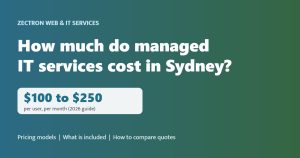
Managed IT inverts that entirely. Instead of paying per incident, you pay a fixed monthly fee covering ongoing monitoring, maintenance, and support. For Sydney SMBs, plans typically start from around $110 per PC per month. Under this model, the provider’s business only works if your systems stay healthy. Preventing a problem costs them nothing extra; fixing an avoidable one eats into their margin. Prevention becomes a shared interest.
As cyber threats have grown more sophisticated and businesses have become more dependent on digital systems, unplanned downtime has become far more costly. A server failure or ransomware event that might have been a minor inconvenience in 2010 can now cost thousands in lost productivity, data recovery, and reputation damage.
One clarification worth making early: having a regular IT person you call does not mean you have managed IT. If there is no proactive monitoring running in the background and no fixed-fee contract in place, you are on a break-fix model regardless of how familiar that technician is with your setup. The label matters less than the structure underneath it.
So What Is a Managed Service Provider, Exactly?
So you understand the difference between the two models. But what exactly is a managed service provider?
A managed service provider (MSP) is a company that takes ongoing responsibility for a defined set of your IT systems under a formal contract, for a fixed monthly fee. That structure, already introduced above, is what defines the MSP model. The scope is agreed upfront: which devices, which systems, which services are covered. Once that is in place, routine work within the agreement carries no surprise invoices.
The most useful way to think about it is not as a contractor you hire for jobs, but as an outsourced IT department that proactively looks after your environment. The difference matters: a contractor waits for your call; an MSP is already watching.
For most Norwest and Sydney SMBs without a dedicated internal IT person, an MSP fills that role entirely, giving staff a direct line for IT problems while systems are monitored and maintained on an ongoing basis. If you already have internal IT capability, a co-managed arrangement is also an option, where the MSP works alongside your existing person or team rather than replacing them.
One advantage that often gets overlooked is geography. A local MSP can send a technician to your premises when remote access is not enough. They are also familiar with the infrastructure and connectivity landscape across the Hills District and greater Sydney, which a remote-only provider simply cannot replicate.
In short: an MSP is a defined, contractual, proactive relationship with a provider who has a direct stake in keeping your systems running.
The Core Services a Managed IT Provider Covers
So what does that ongoing responsibility actually look like in practice? Here is a breakdown of the core services bundled into a typical managed IT plan.
24/7 remote monitoring Specialist software watches your servers, desktops, and network devices around the clock. When a hard drive starts degrading, network traffic spikes unexpectedly, or a device’s memory climbs into the danger zone, the MSP is alerted automatically and investigates before you experience any disruption.
Proactive patching and maintenance Unpatched software is one of the most common entry points for cyberattacks. A managed IT provider applies operating system and application patches on a regular schedule, closing vulnerabilities before they can be exploited. This is not optional housekeeping; the Australian Signals Directorate lists timely patching as a foundational security control for Australian businesses.
Helpdesk support Staff log a ticket or make a call when they hit a problem, whether that is a password reset, a software error, a printer fault, or an email configuration issue. The MSP handles it directly. You are not the go-between for every IT problem, and there is no hourly charge each time someone asks for help.
Cybersecurity tools and management Endpoint protection, multi-factor authentication (MFA), email filtering, and security monitoring are typically included in managed IT plans. With break-fix, cybersecurity only gets attention after an incident. With managed IT, the defences are in place continuously.
Data backup and disaster recovery Backups run on a set schedule and are tested regularly, with a documented recovery plan behind them. If a server fails or ransomware hits, you have a clear path to recovery rather than weeks of rebuilding from scratch.
Employee onboarding and offboarding When someone joins, their device is configured and access is provisioned correctly from day one. When someone leaves, access is revoked immediately, reducing the risk of accounts remaining open after departure.
IT asset and device management The MSP maintains an inventory of your hardware, tracks end-of-life dates, and flags devices that need replacing before they fail, not after they take a staff member offline.

Strategic IT Planning: The Part Most SMBs Don’t Expect
All of those operational services matter, but they represent what an MSP does for your systems day to day. What surprises many Sydney SMB owners is that a good managed IT provider also does something for your business: it acts as a part-time technology advisor.
This advisory role typically centres on a quarterly business review (QBR). Four times a year, you sit down with your MSP contact for a structured conversation covering what is working well, what hardware or software is approaching end-of-life, what your growth plans mean for your infrastructure, and where your IT budget should be directed over the coming months.
That last point is where strategic planning delivers its clearest financial benefit. Rather than scrambling to replace a failed server with whatever is available that week, you have a hardware refresh roadmap with costs mapped out in advance. You can budget for it, time it around cash flow, and avoid the premium that comes with emergency procurement.
The advisory function also applies to bigger transitions. If you are weighing up cloud migration, a new software platform, or scalable hosted infrastructure, your MSP evaluates the options and manages the transition with you, rather than leaving you to research it alone and make a call without technical context.
This is especially valuable for businesses in a growth phase. IT decisions made today around cloud storage, hosted services, and infrastructure scalability have a direct bearing on your operational capacity over the coming years. Getting those calls right early is considerably cheaper than correcting them under pressure later.
What the Day-to-Day Relationship Actually Looks Like
So what does this actually look like once you sign up? Here is the practical picture.
It starts with onboarding. Your MSP audits your existing environment, documents every device and system, installs monitoring agents, and records baseline performance data. This is how inherited problems get caught early, before they become your emergency.
After that, most of what happens is invisible to you. The operational tasks covered in the previous section, patching, monitoring, backup verification, run continuously in the background without your involvement. You are not initiating any of it, and you are not being called to approve it. It simply happens.
When your staff hit a problem, they contact the helpdesk directly. Your receptionist does not come to you because Outlook has stopped working. Your accounts person does not wait while you try to diagnose a printer issue. The business owner stops being the first point of contact for every IT problem, which is one of the most immediate time savings for anyone running a small team.
Response times are not informal guesses either. Service Level Agreements (SLAs) define exactly what you can expect. A critical outage may carry a faster response target than a single-user issue, exact commitments vary by provider and are defined in the SLA agreed before work begins. These commitments are formal, documented, and measurable, not vague promises.
Monthly or quarterly reports give you a clear record of what was done, what was prevented, and what is coming up on the horizon. IT stops being an invisible cost and becomes a documented, managed function you can account for.
And when something needs a physical presence, such as a hardware failure, a new workstation setup, or a network change, a local provider like Zectron can send a technician directly to your Norwest or Sydney premises rather than relying solely on remote access.
Is Managed IT the Right Fit for Your Business Right Now?
Knowing how the relationship works day-to-day is useful, but the more immediate question for most Sydney business owners is simpler: does this actually apply to my situation?
Managed IT is a strong fit for any SMB whose daily operations depend on computers, email, or internet connectivity. The more your business relies on digital systems, the more expensive unplanned downtime becomes, and the stronger the case for prevention over reaction.
If you are currently paying per incident, the question is simply whether that spend prevents problems or only cleans them up.
Certain industries carry additional weight here. Accounting practices, legal firms, and medical administration businesses handle sensitive client data with compliance obligations attached. Managed IT is specifically structured to address those obligations through access controls, documented security practices, and consistent patching, rather than treating security as an afterthought.
Scalability is another practical consideration. As you hire more staff, open additional locations, or move systems to the cloud, an MSP adjusts the scope of your service agreement to match. You are not sourcing new vendors or renegotiating contracts from scratch every time your business changes shape.
If full outsourcing feels premature, a co-managed arrangement (introduced earlier) lets you retain an internal person while the MSP covers monitoring, security, and strategy.
The most practical first step, before committing to anything, is requesting a no-obligation IT assessment from a local Sydney provider. It gives you an independent view of your current environment’s health so you walk into any further conversation with clear information rather than assumptions.
Walking Into Your First MSP Meeting with Confidence
If you’ve made it this far, you already know more than most SMB owners walking into their first provider conversation. Use that.
As established, managed IT is built around prevention, predictable costs, and ongoing responsibility, not break-fix response.
Ask about these five areas specifically:
- Monitoring and patching, are your systems watched continuously, and how often are patches applied?
- Helpdesk support, how do your staff log issues, and what are the response times?
- Cybersecurity tools, endpoint protection, email filtering, MFA; are these included or quoted separately?
- Backup and recovery, how often are backups tested, and what does the recovery process actually look like?
- Strategic IT planning, does the provider offer regular reviews, or just reactive support?
Also ask about SLAs in writing, not verbal assurances. Ask how onboarding works and how long it takes. Ask directly whether they provide on-site support, since remote-only access has real limits when hardware fails or a new workstation needs configuring.
Zectron works with SMBs across Norwest and greater Sydney, covers every service category above, and offers local on-site capability. The best starting point is a straightforward conversation about your current environment, no commitment required.
Conclusion

Managed IT is not a luxury reserved for large enterprises. For Sydney SMBs, it represents a fundamentally smarter way to operate: predictable costs replace unexpected repair bills, proactive monitoring prevents problems before they disrupt your team, and strategic planning turns IT from a burden into a genuine business asset.
The core takeaway is simple. Know the difference between break-fix and managed services, understand what a quality provider should cover, and walk into any MSP conversation armed with the right questions.
Your technology environment directly shapes how your business grows, serves clients, and stays secure. The right partner takes that responsibility seriously from day one.
If you are ready to move beyond reactive IT and want a straightforward conversation about what managed services could look like for your business, reach out to Zectron today. No pressure, just clarity.
See where your IT stands today
Start with a free cyber risk scan. It takes minutes, there is no obligation, and you get a plain-English report on your biggest risks.
or call 1300 133 770